 BTS Consulting

Microsoft 365 tenant-to-tenant migration, from inventory to final report.
Microsoft 365 tenant-to-tenant migration with built-in artificial intelligence. Assessment, pre-validation and migration tracked in a single console.
Works with
 Exchange Online
 OneDrive
 SharePoint
 Microsoft Teams
 Microsoft Entra ID
Why BTS CloudShift
For mergers, acquisitions, divestitures and company consolidations that need to merge or split Microsoft 365 environments.
Timelines based on numbers
The assessment measures users, mailboxes, files and sites before any promise is made. The schedule comes from the real volume.
A cutover that doesn't stall
Permissions, licenses and quotas in the target are checked before the window, not discovered during it.
Waves at the pace of your business
Users move in groups agreed with you, so each area switches over when it causes the least disruption.
Automatic retries
An item that fails goes back to the queue on its own. The operator only handles what really needs attention.
Failures that come with an explanation
The AI copilot reads the project status, explains why something failed and suggests the next step. The operator still makes the call.
Proof of what was migrated
The final report compares source and target item by item, ready for the board and for auditors.
See BTS CloudShift in action
A 1:35 narrated demo. The narration and subtitles are in Portuguese, as is the console in the video.
The video loads from YouTube only when you click to watch it.
What BTS CloudShift does
- Source tenant assessment
- Inventory of users, mailboxes, OneDrive and SharePoint sites, with volumes and points of attention before you start.
- Pre-validation before the window
- Permissions, licenses and quotas in the target checked in advance, so the cutover doesn't stall halfway.
- Migration tracked in one console
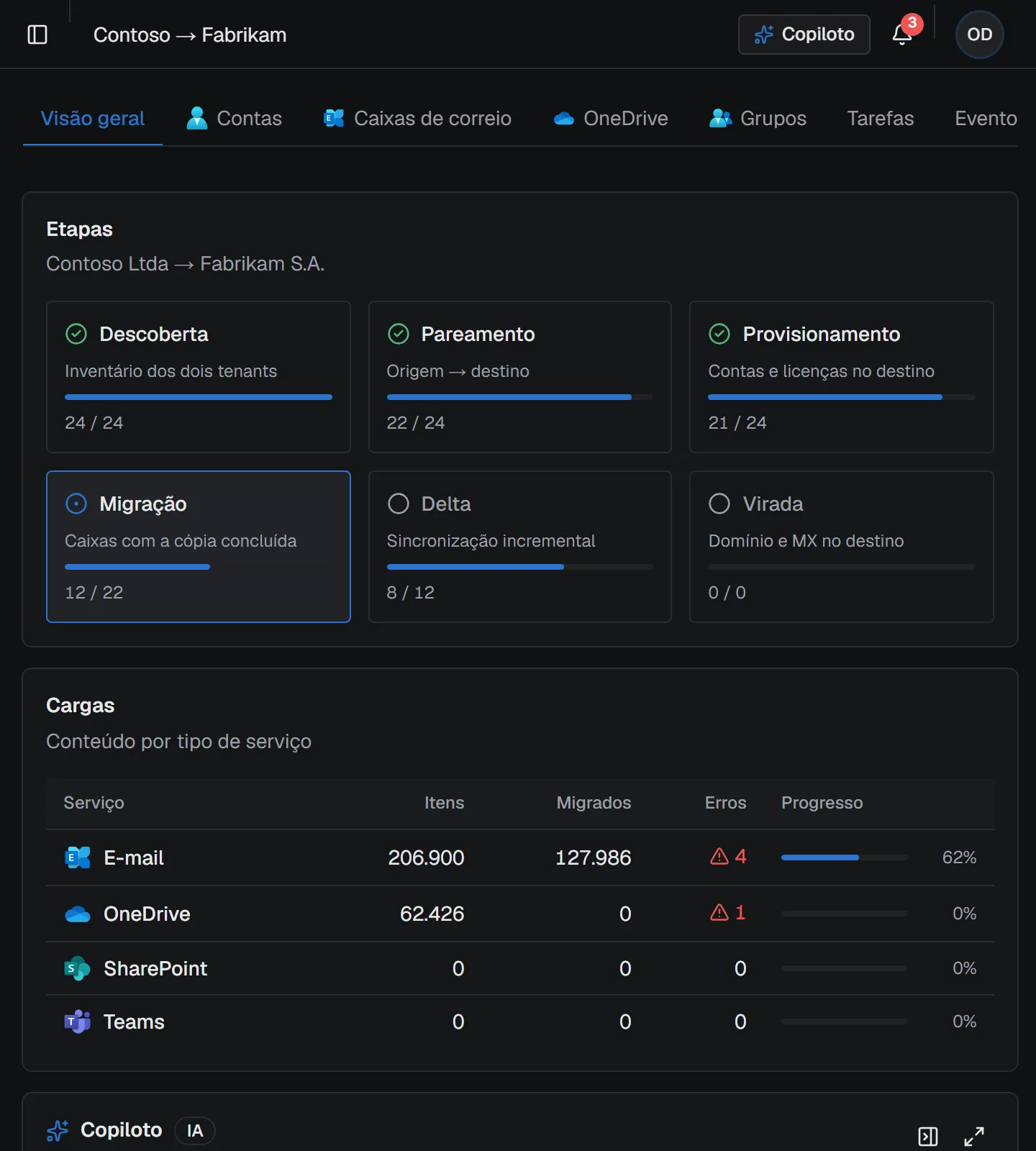
- Progress by user and by object, with automatic retries and a record of everything that was copied.
- AI copilot
- An assistant that reads the project status, explains failures and suggests the next step to the operator.
How it works
- 1We connect the source and target tenants with controlled application permissions.
- 2The assessment maps what exists and builds the wave plan with you.
- 3Pre-validation points out what must be resolved before the window.
- 4The migration runs in waves and ends with the source and target report.
Related to BTS CloudShift
Microsoft 365 migrations
Beyond tenant-to-tenant, the BTS team migrates from Google Workspace and on-premises Exchange to Microsoft 365.
Talk about a migrationBTS Score
After the cutover, the security score shows whether the target tenant is well configured and what to fix first.
Discover BTS ScoreBTS at a glance
BTS Consulting services, products and licensing in one place.
See the overview
Frequently asked questions
What does BTS CloudShift migrate?
Mailboxes, OneDrive, SharePoint sites and Teams, from one Microsoft 365 tenant to another.
Are users blocked during the migration?
Copying runs in waves, in the background. Each wave switches over in the window agreed with you, after pre-validation.
What access does BTS CloudShift need in the tenants?
Application permissions in the source and target tenants, approved by each tenant's administrator. Administrative roles, when needed, are assigned by your team.
What does the AI copilot do?
It reads the project progress, explains failures and suggests the next step. It guides the operator and doesn't make decisions on its own.
Who runs the migration?
The BTS team, or your team with our support. Partner consultancies and resellers can also bring BTS CloudShift to their clients.
See BTS CloudShift in your environment
We show you the product with your own tenant data, in a 30-minute call.